Why Is My Office Wi-Fi So Slow (and What Can I Do Right Now)?
By AstroTech
Slow office Wi-Fi can freeze email, cloud apps, VoIP calls, and everyday work—usually at the worst possible time.
Below are the most common causes, safe fixes you can try immediately, and the clear signs it’s time to bring in AstroTech
before downtime starts costing you.
Direct Answer (fast overview):
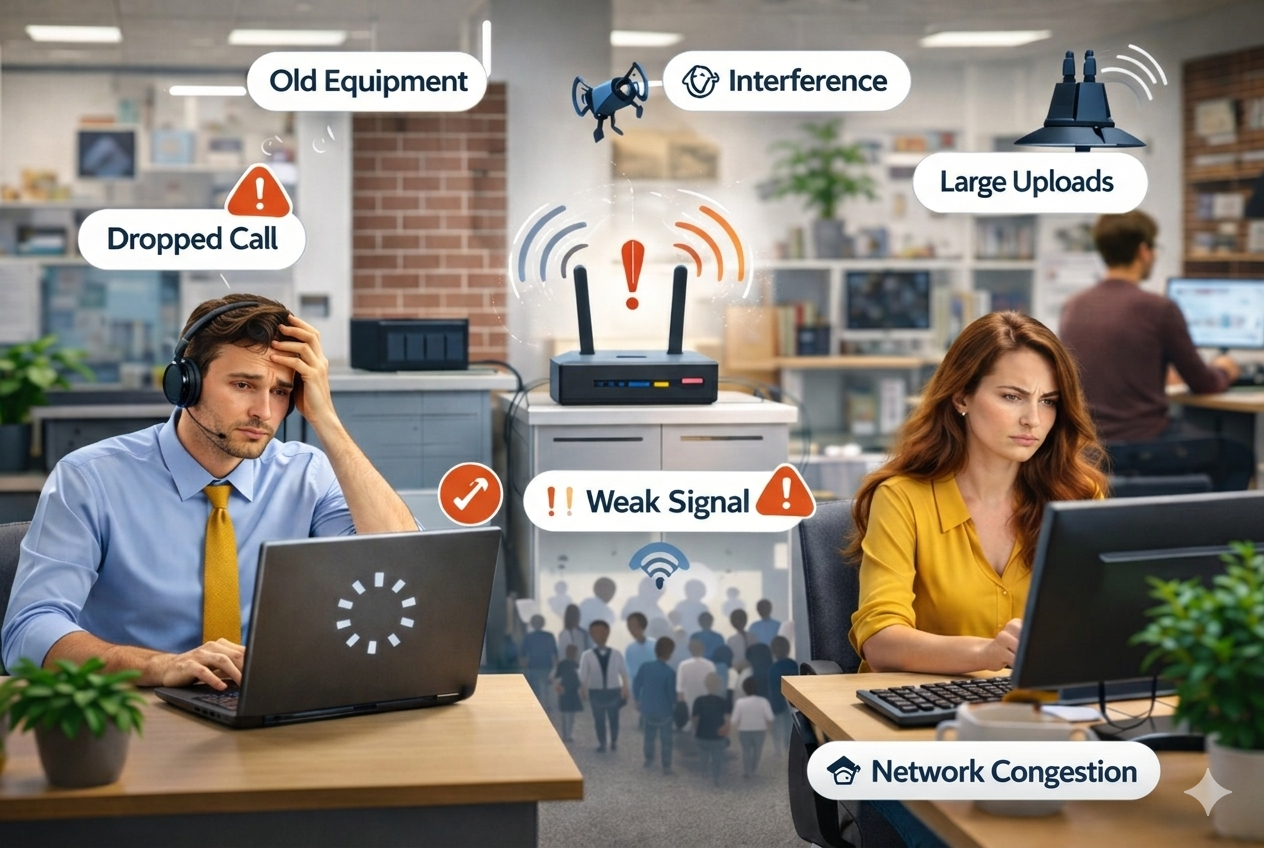
Office Wi-Fi is usually slow because the network is overloaded, the signal is weak in parts of the office, there’s wireless
interference, or the router/internet plan can’t keep up with your team’s workload. Start with a proper modem/router reboot,
test speeds near the router vs. across the office, and pause large uploads. If multiple users are affected or it keeps
happening, professional troubleshooting is the safest next step.
Why this happens
Most “slow Wi-Fi” problems are caused by a few repeat issues—especially in small offices with lots of devices and cloud apps.
- Too many devices competing at once (laptops, phones, printers, TVs, guest devices)
- Bandwidth overload from video meetings, cloud apps, and large file uploads/downloads
- Weak coverage or dead zones caused by distance, thick walls, or router placement
- Wireless interference from neighboring networks, microwaves, or Bluetooth-heavy areas
- Older or underpowered equipment that can’t handle modern workloads
- Internet provider issues (slowdowns, line problems, neighborhood congestion)
- Background activity like cloud sync, backups, and automatic updates
Quick fixes you can try now (safe only)
These steps won’t change advanced settings and won’t put your network at risk. They’re the safest first moves when office
Wi-Fi is slow.
1) Confirm if it’s Wi-Fi or the internet connection
Do this:
- Stand close to the router with one laptop/phone.
- Run a speed test.
- Run the same test again from the slow area of the office.
What it means:
- Fast near the router, slow elsewhere: coverage/interference problem.
- Slow everywhere: internet plan/ISP issue, heavy network load, or struggling equipment.
2) Reboot the modem and router (in the right order)
A proper power cycle clears many temporary slowdowns, especially after long uptimes or busy workdays.
- Unplug the router and modem.
- Wait 60 seconds.
- Plug in the modem first and wait until it’s fully online (usually 1–3 minutes).
- Plug in the router and wait another 1–2 minutes.
- Re-test speeds.
Quick clue:
If rebooting fixes things for a few hours but the slowdown returns daily, that’s usually a capacity, coverage, or hardware
issue—not just “a glitch.”
3) Pause the biggest bandwidth hogs (quick win)
Check for:
- Large uploads/downloads (shared drives, Dropbox/OneDrive/Google Drive)
- Cloud backups or syncing huge folders
- Multiple HD video calls happening at once
- Always-on streaming in a lobby or break room
Safe fixes:
- Pause large uploads/backups temporarily.
- Reduce video call quality (HD → standard) during peak times.
- Schedule large sync/backups after hours.
4) Improve router placement (no settings required)
Place the router:
- More central (not in the far corner of the office)
- Higher up (desk/shelf instead of the floor)
- Away from metal cabinets, thick walls, and large appliances
Avoid closets, under desks, or behind metal shelving. Those locations can cut Wi-Fi performance dramatically even if the
internet connection itself is fine.
5) Use Ethernet for one “must-work” device (temporary workaround)
If a front desk PC, POS, or a key workstation must stay stable, plugging in a single Ethernet cable can keep you running
while you troubleshoot.
- If Ethernet is fast but Wi-Fi is slow, the issue is wireless coverage/interference.
- If Ethernet is also slow, the issue is more likely ISP, modem, or network load.
6) If only one person is slow, do a quick device-level check
When only one laptop is struggling, it’s often the device, not the whole network.
- Restart the device
- Close heavy apps and extra browser tabs
- Pause cloud sync briefly
- Make sure it’s not stuck mid-update
When it becomes a bigger business risk
Slow office Wi-Fi isn’t just inconvenient. It becomes a real business risk when it creates downtime, affects customers, or
exposes security gaps.
- Multiple employees are impacted (productivity loss adds up fast)
- VoIP calls are choppy or dropping (client experience suffers)
- Cloud apps lag (Microsoft 365, Google Workspace, CRMs, accounting tools)
- Printers/scanners keep going offline
- It’s happening daily or weekly (recurring = underlying problem)
- Guest devices mix with business devices (performance + security risk)
Bottom line:
If slow Wi-Fi is interrupting work more than once in a while, it’s usually cheaper to fix the root cause than to lose hours
restarting equipment and dealing with angry staff (or customers).
How AstroTech fixes this
AstroTech focuses on fast diagnosis and stable fixes—so your Wi-Fi is reliable during real business hours, not just during a
quick test. We’re also serving New York and New Jersey for on-site support when needed.
- Coverage assessment: identify dead zones and interference hotspots
- Speed + load testing: confirm if the bottleneck is ISP, router capacity, or congestion
- Hardware evaluation: determine if your router/modem is underpowered or outdated
- Network organization: separate staff, guest, and business-critical devices for performance + security
- Stability improvements: right-size the setup for your space (often access points for consistent coverage)
- Ongoing support: keep Wi-Fi from turning into a recurring emergency
FAQ
Why is my Wi-Fi slow even when my phone shows full bars?
“Bars” measure signal strength, not how busy or healthy the network is. You can have a strong signal but still be slow due
to congestion, interference, or limited internet bandwidth.
How do I know if I need a new router or a better internet plan?
If it’s slow everywhere (even right next to the router), it may be your internet plan or ISP line. If it’s fast near the
router but slow in certain rooms, you likely need better Wi-Fi coverage (often access points, not just “a bigger router”).
Should I buy a Wi-Fi extender?
Extenders can help in some cases, but they can also create inconsistent performance if placed poorly. For a business, a
properly planned setup is usually more reliable than stacking extenders.
Why does Wi-Fi get worse at certain times of day?
Peak usage—video calls, cloud syncing, backups, and updates—often hits at the same time daily. That pattern is a strong
clue the slowdown is load-related.
Can AstroTech help if we have multiple rooms or a larger office?
Yes. Larger spaces usually need a coverage plan for consistent performance. AstroTech can assess the layout and implement a
stable setup without disrupting your team.
Need your Wi-Fi fixed without the guesswork?
If your office Wi-Fi is slow, affecting multiple people, or keeps returning after reboots, AstroTech can find the real cause
and get you back to stable performance fast. Contact AstroTech to request support or a quote and stop losing time to
recurring Wi-Fi issues.
